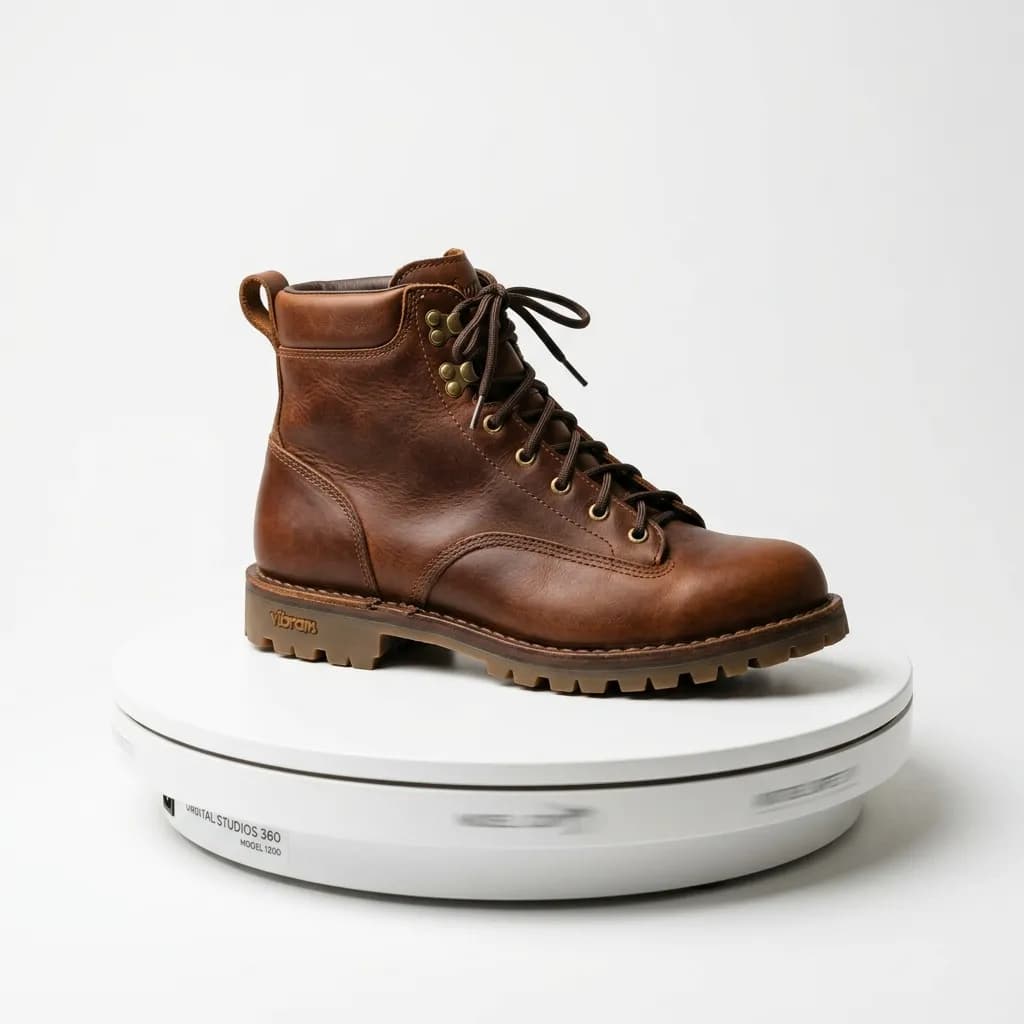
A 360-degree spin lets a shopper do the one thing a static photo can't — turn a product in their own hands. It isn't free to produce, and it isn't equally valuable across every category. Here's how spin photography actually works and where the investment pays off.
A 360-degree product view is the closest a photo-only listing gets to letting a shopper physically handle a product before buying — they can spin it, stop at any angle, and inspect exactly the side a static image set didn't happen to show. That capability isn't free: a proper 360 set requires more controlled production than a standard photo shoot, and the conversion lift it delivers varies sharply by category. This guide covers how 360 spin photography is actually produced, the technical specs that separate a smooth spin from a jerky one, and an honest look at where the investment is worth it and where it isn't.
How a 360-Degree Spin Is Actually Shot
A 360 spin set is a sequence of still images taken at even angular intervals around a product, played back in sequence to simulate rotation. Two production methods dominate:
- Motorized turntable, stationary camera: the product sits on a turntable that rotates in fixed increments while the camera stays locked in position — this is the standard approach for small to medium products and produces the most consistent lighting and framing across every frame.
- Stationary product, camera on a rotating rig: used for products too large or awkward to turn on a standard turntable (furniture, vehicles, large appliances) — a camera mounted on a circular rig or rail moves around the stationary product instead.
Both approaches require the same underlying discipline: perfectly consistent lighting, focus, and exposure across every single frame, since even small frame-to-frame variation reads as a visible flicker or jump once the sequence plays back at speed.
Frame Count and Rotation Smoothness
- 24 frames (15-degree increments) is the practical minimum for a recognizable spin — below this, rotation looks stepped and mechanical rather than smooth.
- 36 frames (10-degree increments) is the common standard for e-commerce spin viewers — smooth enough for most shoppers while keeping production and file management manageable.
- 72 frames (5-degree increments) or higher is used for premium categories — jewelry, watches, high-end electronics — where a shopper is likely to spin slowly and scrutinize detail rather than just confirm the general shape.
- Frame count should scale with expected inspection behavior, not just budget — a product shoppers scrutinize closely deserves the higher frame count even if it costs more to produce.
Turntable and Camera Setup Specifications
- Turntable load capacity must exceed the product's actual weight with margin — an underrated turntable that strains or wobbles introduces exactly the frame-to-frame inconsistency that ruins a spin's smoothness.
- Camera position must stay perfectly fixed between frames — even a few millimeters of camera drift across a 36-frame sequence produces a visible wobble on playback.
- Lighting setup should be fully diffused and shadowless underneath the product wherever possible, since a fixed light source combined with a rotating product can create moving shadows that shift unnaturally frame to frame — a giveaway that breaks the illusion of a smooth, professional spin.
- Background must stay perfectly consistent across every frame — any variation reads as a visible flicker once frames are compiled into a playable sequence.
Post-Production: Stitching and Consistency Correction
Raw turntable captures rarely compile into a smooth spin without post-production work. Common corrections include frame-to-frame exposure matching (small lighting fluctuations that are invisible in a single still become obvious once frames play in sequence), background cleanup and consistency across the full set, and horizon/center-point alignment so the product doesn't appear to drift or wobble as it rotates. This editing pass is where a technically adequate raw capture becomes a genuinely smooth, professional-feeling spin — skipping it is the most common reason DIY 360 attempts look noticeably worse than professionally produced ones, even when the raw frame count and turntable equipment were comparable.
Which Categories See the Biggest Conversion Lift
360 spin isn't equally valuable everywhere, and understanding where it earns its production cost back matters more than defaulting to it for every SKU:
- Footwear and bags — shoppers routinely want to check side profile, sole detail, and how a bag's silhouette holds shape from multiple angles; 360 spin consistently outperforms static images here.
- Jewelry and watches — high per-unit value plus a purchase decision that depends heavily on how a piece catches light and reads from different angles makes 360 spin one of the higher-ROI applications of the format.
- Electronics with visible design detail — headphones, cameras, and similarly styled tech products benefit from spin in a way that plain function-first electronics (a cable, a basic charger) generally don't.
- Furniture — particularly for pieces where silhouette and proportion from multiple angles genuinely affect the purchase decision, though production cost is higher given the rig requirements for larger items.
Categories where 360 spin tends to underperform its production cost: simple commodity products where a single clear angle already answers every question a shopper has (basic hardware, plain packaging goods), and categories where price sensitivity means the production investment doesn't map to a corresponding lift in average order value.
File Format and Web Delivery
- Sprite sheet or individual frame sequence: most e-commerce 360 viewers (Shopify apps, dedicated 360 platforms) accept either a compiled sprite sheet or a numbered frame sequence, loaded and controlled by a JavaScript viewer on the front end.
- Total file weight matters for page load: 36 frames at full product-photo resolution can add meaningful page weight if not optimized — compressing individual frames without visibly degrading quality is a necessary step, not an optional one, given how directly page speed affects conversion.
- Lazy-loading the spin sequence (loading only after a shopper interacts with the viewer, rather than on initial page load) keeps the format from dragging down page speed metrics for shoppers who never engage with it.
Common Production Mistakes
- Inconsistent lighting across frames from ambient light changes during a long capture session (a session that runs long enough for daylight through a studio window to shift, for example) — the single most common source of a visibly flickering spin.
- Insufficient frame count for the category — using a 24-frame set for jewelry or watches, where shoppers naturally slow down and inspect detail, makes the stepped rotation obvious in exactly the category where smoothness matters most.
- Skipping post-production consistency correction entirely, treating raw turntable output as a finished deliverable rather than a starting point.
- Producing 360 spin for every SKU indiscriminately rather than reserving it for categories and price points where it demonstrably affects conversion, wasting production budget on spins that don't move the numbers.
Outsourcing vs. In-House Production
Sellers weighing whether to build in-house 360 capability or outsource to a specialized studio should factor in more than just equipment cost. A motorized turntable and rig setup is a meaningful upfront investment, but the bigger ongoing cost is the operator skill required to keep lighting, exposure, and camera position consistent across every session — a poorly calibrated in-house setup produces spins that look noticeably worse than professionally produced ones, even with the same nominal equipment. For sellers producing 360 sets occasionally, for a handful of hero SKUs rather than an entire catalog, outsourcing to a studio or service that already has the rig, lighting, and post-production workflow dialed in typically costs less per SKU than building and maintaining in-house capability that sits idle between shoots. The calculation flips for sellers producing high volumes of 360 content continuously, where in-house capacity amortizes its fixed cost across enough SKUs to beat a per-project outsourced rate.
Single-Row vs. Multi-Row Spins
A standard spin is a single row: the camera stays at one height while the product turns. A multi-row spin adds one or more extra rows shot from higher angles, so shoppers can drag up and down as well as left and right and see the top of the product. It multiplies the frame count, and the editing work, by the number of rows, so it is worth it only where the top view matters: the soles and insoles of shoes, the inside and opening of bags, or the controls on top of a device. For most products, a good single-row spin plus one static top-down image gives the same information at a fraction of the cost.
Where You Can Actually Show a 360 Spin
Support for spin viewers varies widely. Your own store can usually display one through an app or an embedded viewer. Marketplaces are more restrictive: many accept only standard still images from most sellers, and some offer 360 views only through specific brand or vendor programmes. Check each channel before you budget for a spin set, and always keep a complete set of still images as well, since that is what most channels and every search thumbnail will use. The spin frames themselves can help here: one or two well-chosen frames often make useful extra angles for the static gallery.
A Quick Checklist Before Commissioning a 360 Spin Set
- Confirm the category is one where 360 spin has a demonstrated conversion effect, not just a "nice to have" default.
- Set frame count based on expected inspection behavior — 36 for standard categories, 72+ for jewelry, watches, and other high-scrutiny purchases.
- Verify lighting and background consistency across the full raw frame set before committing to post-production.
- Optimize final file weight for web delivery without visibly degrading frame quality.
Our 360-degree product photo editing service handles frame consistency correction, background cleanup, and web-optimized delivery for spin sets across footwear, jewelry, electronics, and furniture categories. Submit 5 images for a free trial to see our editing quality on your standard product shots before committing to a full 360 production.