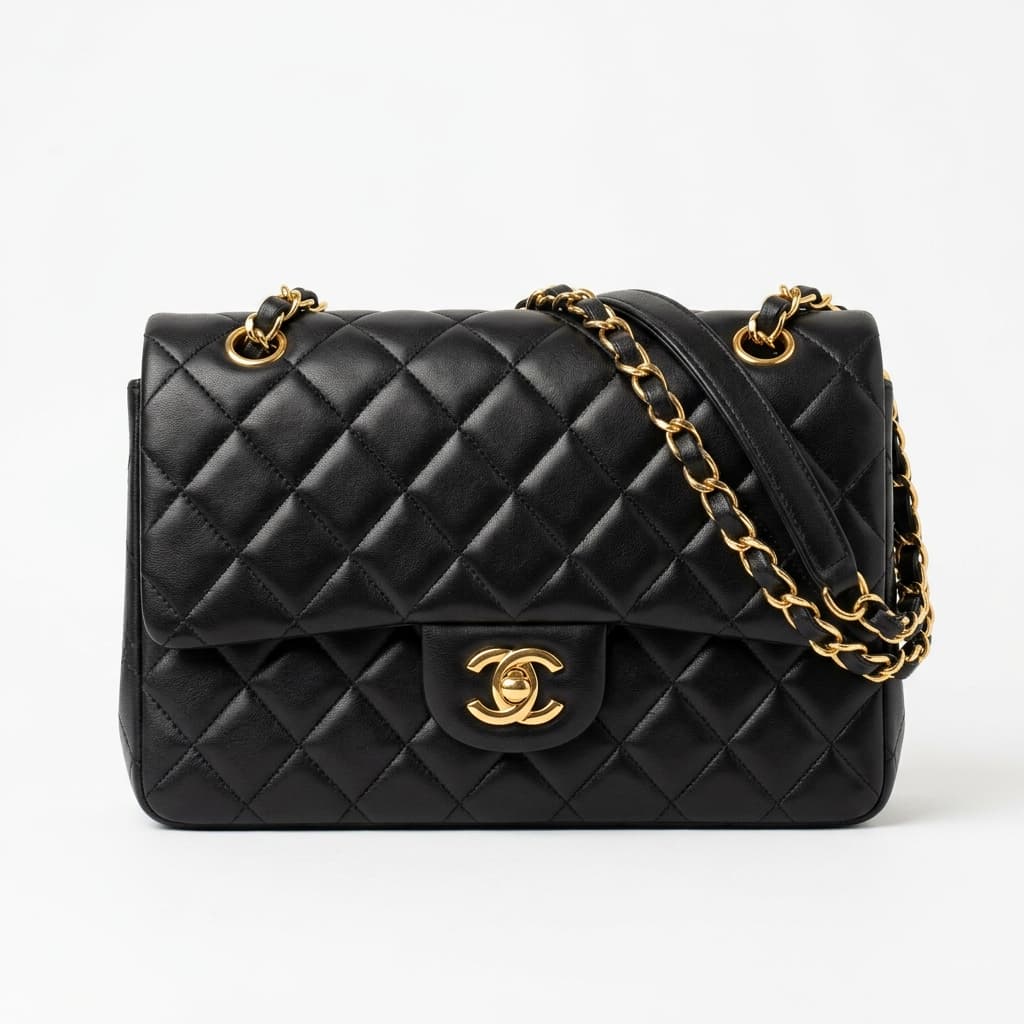
Farfetch enforces the highest image standards of any fashion marketplace. From ghost mannequin requirements to handbag interior shots and luxury hardware close-ups — the complete technical specification for FPAD-compliant product images.
Farfetch operates at the luxury end of fashion retail, and its image standards reflect that positioning. No other marketplace is as strict about background purity, garment presentation method, and secondary image requirements. A listing that would pass on ASOS or Zalando may be rejected or suppressed on Farfetch. This guide covers every technical requirement enforced through the Farfetch Partner Portal (FPAD) in 2026 — the specific rules that separate compliant luxury listings from rejected ones.
Main Image Requirements
Background
- Pure white background is mandatory — RGB 255/255/255 exactly
- No off-white, light grey, or near-white backgrounds — Farfetch's automated review checks background purity and rejects anything below threshold
- No gradients, shadows cast onto the background, or any colour variation behind the product
- No props, surfaces, or environmental context in the main image slot
Dimensions and Format
- Minimum size: 1000×1000px
- Recommended size: 2000×2000px — luxury buyers zoom heavily; lower resolution is visible at zoom level and reduces purchase confidence
- Format: JPEG only for main images
- Maximum file size: 5MB per image
- Aspect ratio: square (1:1) is standard; Farfetch's product grid renders square crops
Garment Presentation
- Ghost mannequin or on-model photography is required for garments in the main image
- Flat lay is explicitly rejected for garment main images on Farfetch — it does not meet the platform's luxury presentation standard
- Ghost mannequin gives the garment 3D shape without a visible model — the standard for luxury fashion at this price point
- On-model is accepted and often preferred for editorial-quality brands on the platform
Prohibited Elements
- Text overlays of any kind — no sale callouts, product names, size labels, or brand text on the image
- Watermarks — no photographer, agency, or brand watermarks visible on any image
- Collages or multi-product compositions — one product per image in the main slot
- Multiple products in frame — even coordinated sets must be shown individually
- Mannequin heads or hands visible in ghost mannequin images
- Model faces visible unless the listing is specifically fashion editorial — standard product shots should crop at the neck
Category-Specific Requirements
Footwear
- Both shoes must be shown as a pair in the main image — a single shoe is rejected
- Standard angle: both shoes displayed together, typically at a slight angle showing the profile
- Secondary images must include: sole detail image showing the outsole of one shoe clearly
- Additional recommended secondaries: heel detail, toe box close-up, any branded hardware on the shoe
Handbags and Leather Goods
- Main image: front of the bag on white, showing the full piece including handles, straps, and hardware
- Secondary images must include: interior image — showing the inside of the bag with pockets visible
- Close-up of hardware: clasp, zipper pull, logo plate, and any branded metalwork
- Close-up of stitching and construction — luxury buyers inspect these details before purchase
- Close-up of any serial number, authenticity label, or date code placement
Luxury Accessories and Jewellery
- Close-up detail shots are required as secondary images for luxury accessories
- Hardware detail: any gold, silver, or plated elements must be shown in dedicated close-up
- Stitching detail: for leather goods, topstitching and edge finishing must be visible
- Logo placement: any embossed, engraved, or printed logo must appear in a dedicated secondary shot
- For fine jewellery, see our jewellery photo editing service — stone facets, prong settings, and metal finishes require specialist retouching at the zoom levels luxury buyers use
Colour Accuracy
Colour accuracy is non-negotiable on Farfetch. Luxury buyers purchasing a £800 coat or a £2,000 bag expect the product they receive to match the image precisely. Colour discrepancy is one of the leading reasons for returns on luxury platforms — and Farfetch's seller metrics track return rates, which directly affect listing visibility.
The specific colour accuracy requirements:
- Neutral-balanced lighting is mandatory — warm or cool casts that shift perceived colour are a rejection risk
- Colour profiles: images must be sRGB for web delivery; CMYK or ProPhoto RGB profiles cause colour shift in browser rendering
- No heavy post-processing saturation — artificial saturation makes products look different from the physical item
- Fabric texture and sheen must be accurately represented — a satin that looks matte in the image and shiny in real life is a return driver
Secondary Images
Farfetch allows multiple secondary images and the platform actively uses them to support purchase decisions. Luxury buyers conduct detailed pre-purchase research — the more information secondary images provide, the lower the return rate and the higher the conversion.
- Minimum recommended: 4–6 images total per listing (main plus secondaries)
- All secondary images: same format and resolution requirements as the main image
- Model shots with garments worn: strongly recommended as a secondary for clothing
- Detail close-ups: required for accessories, recommended for all categories
- Size reference shots: showing the product against a scale reference helps reduce size-related returns
- Lifestyle context: acceptable in secondary positions, though Farfetch's aesthetic leans editorial over commercial-lifestyle
Keep the secondary images in the same order for every product, for example front, back, side, detail, then worn. Luxury buyers often compare several similar items in one session, and a consistent order lets them find the angle they are looking for straight away. It also makes the whole catalogue look more professionally managed.
Uploading Through FPAD
The Farfetch Partner Portal (FPAD) is the platform through which all partner sellers upload product content, including images. Key points for image upload through FPAD:
- FPAD performs automated image validation on upload — non-compliant images are flagged before they can go live
- Background purity check is automated — off-white backgrounds will fail the automated check
- Image sequence matters: the first image uploaded becomes the main listing image in the grid view
- Rejected images must be replaced and re-uploaded; there is no in-portal editing tool
- FPAD image guidelines are updated periodically — check the current Partner Portal documentation for any specification changes since this guide was published
Why Farfetch Has the Highest Standards
The reason Farfetch enforces stricter image requirements than any other marketplace in this category comes down to the platform's market position. Farfetch's average order value is significantly higher than a typical e-commerce platform — buyers purchasing at this price point apply considerably more scrutiny before committing. An image that leaves any doubt about construction quality, colour accuracy, or product condition drives abandonment rather than purchase.
The platforms with the most demanding image requirements — Farfetch, NET-A-PORTER, SSENSE — are all luxury-first. The image quality floor on these platforms is set by what's required to convert a buyer who could walk into a boutique and inspect the product in person, but is choosing to buy online instead. Every image requirement on Farfetch exists to replace that in-store inspection.
Preparing Images for Farfetch
A practical workflow for Farfetch-compliant product images:
- Shoot on pure white only. Any background that isn't RGB 255/255/255 will fail FPAD's automated check. Don't attempt to brighten an off-white in post — reshoot on true white.
- Use ghost mannequin for all garments. This is the expected presentation format for fashion at this price point. Flat lay is not acceptable for Farfetch main images regardless of how well-executed. Our ghost mannequin service produces FPAD-compliant hollow-man composites from your front and back shots.
- Shoot at 2000×2000px minimum. Luxury buyers zoom. A 1000px image that looks fine at thumbnail size will show compression artefacts and loss of detail at the zoom levels Farfetch's interface enables.
- Plan secondary shots at the shoot stage. Category-specific secondaries — sole details for footwear, interior shots for handbags, hardware close-ups for accessories — need to be planned before the shoot, not as an afterthought in post.
- Match colour to physical product precisely. Shoot under neutral daylight-balanced lighting, calibrate your monitor, and compare the exported JPEG against the physical product before upload.
Farfetch Image Compliance Checklist
Before uploading to FPAD, run through this checklist for every product image. Farfetch's automated validation catches background and resolution issues at the point of upload — but category-specific secondary image requirements are assessed at review stage. Catching compliance gaps before upload saves the round-trip of rejection, replacement, and re-upload.
- Background: RGB 255/255/255 pure white — verified against a pure white reference in your editing software, not eyeballed
- Resolution: 2000×2000px minimum — confirm actual pixel dimensions, not just file size
- Format: JPEG for main image — PNG is rejected
- File size: Under 5MB per image
- Garment presentation: Ghost mannequin or on-model — no flat lay in the main slot
- No watermarks or text overlays: Including metadata and EXIF copyright overlays that render visually
- Footwear: Both shoes in frame as a pair, sole detail image in secondaries
- Handbags: Interior image present in secondaries, hardware close-up included
- Accessories: Logo placement shot present, hardware and construction details covered
- Colour accuracy: sRGB colour profile, neutral lighting, no artificial saturation boost
- Image sequence: Main compliant image uploaded first — it becomes the grid thumbnail
For sellers managing high-volume Farfetch catalogues, BLACKFOX DIGITAL prepares FPAD-compliant image sets including ghost mannequin compositing, background correction, colour grading, and category-specific secondary shots — from e-commerce photo editing starting at $0.29 per image. Send 5 images free to see the result before committing to a full batch.
For full Farfetch catalog preparation including ghost mannequin compositing, background correction, and detail shot retouching, see our e-commerce photo editing service.