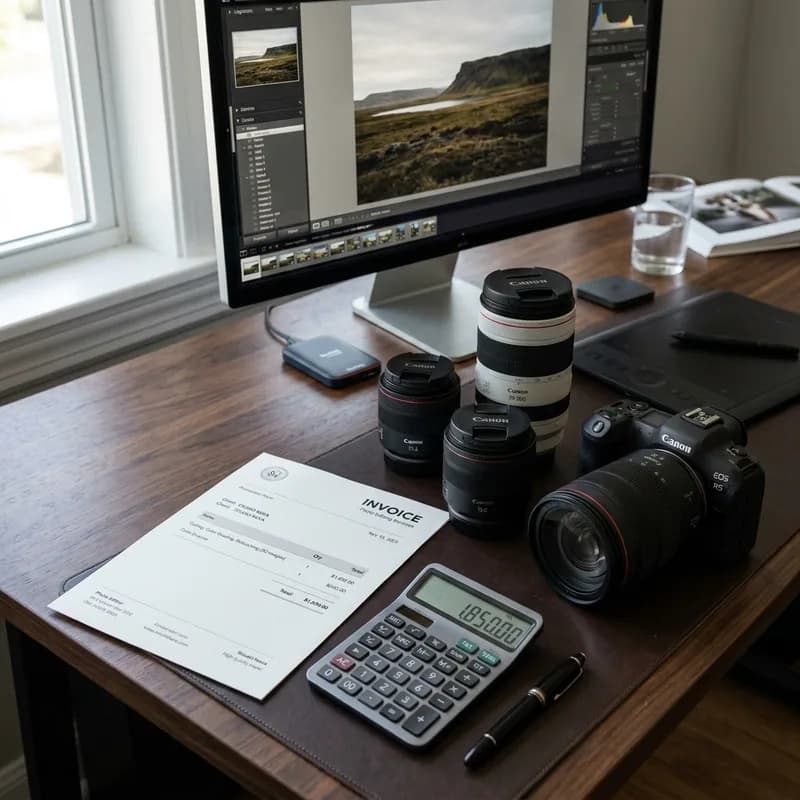
Background removal, ghost mannequin, jewelry retouching, color correction — every service has a different price range. Here's exactly what drives the cost and what to expect at each tier.
The first question every brand asks before outsourcing photo editing is the same: what is this going to cost? The answer depends entirely on what you're editing, how many images you have, and how complex each one is. This guide breaks down the real price ranges for every major product photo editing service in 2026 — with the factors that push costs up or down.
What Drives the Price of Product Photo Editing?
Photo editing is priced per image, not per hour. Two images can take 3 minutes or 45 minutes to edit depending on what's in them. The main factors:
- Subject complexity: A white sneaker on a white background takes 4 minutes. A diamond ring with prong settings and reflective surfaces takes 25. Complexity is the single biggest price driver.
- Technique required: Background removal is faster than ghost mannequin. Ghost mannequin is faster than jewelry retouching. Compositing is the most expensive because it requires building scenes from scratch.
- Volume: Most studios (including BLACKFOX DIGITAL) offer tiered pricing — the cost per image drops when you're editing 500+ images consistently. A brand sending 100 images a month will pay more per image than one sending 1,000.
- Turnaround time: Standard delivery (24 hours) is the base price. Rush (12 hours) adds 20%, Super Rush (6 hours) adds 40%, and 2–4 hour delivery adds 60%.
Price Ranges by Service Type
Background Removal — $0.29 to $1.50/image
The most common service and the widest price range. The difference between $0.29 and $1.50 is not quality — it's subject type.
- $0.29–$0.49: Simple products with hard edges — boxes, bottles, electronics, footwear. Pen Tool path traced around a clearly defined subject. This is the base rate for high-volume e-commerce catalogs.
- $0.75–$1.00: Moderately complex subjects — products with handles, irregular shapes, soft edges that need some masking work.
- $1.00–$1.50: Complex subjects — products with transparent elements, fine detail, or challenging edge cases that require advanced alpha masking.
What you get: Amazon-compliant pure white JPEG (RGB 255,255,255), transparent PNG, or layered PSD — depending on your workflow.
Ghost Mannequin (Invisible Mannequin) — $0.75 to $3.50/image
Ghost mannequin requires photographing a garment from multiple angles, then compositing them so the mannequin disappears and the garment appears to float in 3D. It's more labour-intensive than simple background removal.
- $0.75–$1.50: Standard apparel — t-shirts, sweatshirts, basic knitwear. Straightforward neck joint stitching and mannequin removal.
- $1.50–$2.50: Structured garments — blazers, outerwear, tailored pieces. More complex interior reconstruction needed.
- $2.50–$3.50: Detailed or delicate garments — lingerie, couture, beaded or embellished pieces. Fine detail preservation during reconstruction adds significant time.
Jewelry Retouching — $2.00 to $12.00/image
Jewelry is the most technically demanding product category in e-commerce photography. Reflective metals, transparent gemstones, and microscopic prong detail all require specialist work.
- $2.00–$6.00: Standard rings, pendants, earrings. Camera reflection removal, dust/fingerprint cleanup, metal gradient reconstruction, basic gem brightening.
- $6.00–$10.00: Complex pieces — multi-stone settings, detailed pavé work, layered chains. Each facet of a diamond is individually dodge-and-burned to restore brilliance.
- $10.00–$12.00+: Luxury watches or high-jewelry pieces requiring focus stacking across multiple exposures, full metal reconstruction, and colour variants (yellow/rose/white gold from a single master shot).
Beauty and Skin Retouching — $2.75 to $8.00/image
Model and beauty retouching is priced differently from product editing. The labour is per-image regardless of complexity, because every face and every skin tone presents different challenges.
- $2.75–$4.00: Standard beauty retouching — blemish removal, frequency separation for texture preservation, even skin tone correction. Suitable for e-commerce lookbooks and brand campaigns.
- $4.00–$8.00: Editorial-level retouching — full-frame correction including hair, garment drape, background cleanup, and colour grade matched to existing campaign imagery.
Color Correction and Recoloring — $0.50 to $2.00/image
Color correction fixes the colour in a photo to match the physical product. Recoloring generates additional colour variants from a single master shot — saving reshoots for products available in multiple colours.
- $0.50–$0.75: Standard correction — white balance adjustment, exposure normalisation, Pantone-accurate matching for a single product.
- $1.00–$2.00 per variant: Digital recolouring — the same product image output in every available colour option. For a shoe available in 6 colours, that's 6 deliverables from one hero shot.
Image Compositing — $12.00 to $80.00/image
Compositing — placing a product in a lifestyle scene, removing a person from a group photo, or rebuilding a background entirely — is priced separately because it involves substantial creative construction work. Pricing varies widely by scene complexity and scope.
Volume Pricing: What Changes at Scale?
Per-image pricing drops significantly at volume. A brand sending 50 simple background removals pays around $0.45/image. The same brand sending 1,000/month pays $0.29–$0.32/image — a 30% saving per unit that adds up to thousands of dollars annually.
Most professional studios offer three tiers:
- Starter (1–99 images/month): Full published per-image rate
- Growth (100–499/month): 10–20% reduction from base rate
- Enterprise (500+/month): Custom volume pricing, dedicated editor, SLA turnaround guarantees
What Does "Quality Difference" Actually Mean at Different Price Points?
The cheapest services online (some offering $0.10–$0.15/background removal) use automation — AI tools with manual touch-ups, batch processing, and minimal per-image attention. This works for simple white products. It fails on anything reflective, transparent, or with fine edges.
The difference between a $0.29 and a $0.49 background removal is not quality — both should be hand-traced. The difference is the studio's cost base and volume minimum. The difference between $0.29 and $0.10 is the difference between a human editor and a bot with human QC.
For jewelry specifically, there is no cheap option that works. Automated jewelry retouching produces visibly poor results — flat metal gradients, dull stones, visible cloning artefacts. The $2.00–$6.00 price point reflects genuine specialist work that cannot be automated.
Hidden Costs to Watch For
The per-image rate is only part of the total cost. Several factors inflate a quote between sign-off and invoice:
- Revision rounds: Most studios include one round of revisions in the base rate. Additional rounds are typically billed at $15–30/hour. Clarify revision policy before starting any project.
- Format fees: Some studios charge extra to deliver files in specific formats — layered PSD, TIFF, or multiple output variants from the same master. Professional services include format delivery in the per-image rate; confirm before assuming.
- Minimum order values: Many services impose a minimum batch size of 25–50 images per order. If you have 10 complex images to retouch, a minimum order requirement can double your effective per-image cost.
- File transfer costs: Large-scale catalog work involves moving gigabytes of image files. Some studios use third-party transfer services that carry subscription fees — confirm the transfer method in advance to avoid unexpected charges.
Building a Retouching Brief That Controls Costs
The single biggest source of unexpected retouching costs is a vague brief. An editor who isn’t told exactly what the finished image should look like will make judgment calls — and those calls often require paid revision rounds to correct.
A cost-controlling brief includes:
- Output specifications: File format, colour space (sRGB for web, Adobe RGB for print), resolution (72 dpi vs 300 dpi), and exact pixel dimensions per platform.
- Background specification: Pure white (RGB 255,255,255) for Amazon; off-white or grey for lifestyle contexts; transparent PNG for website overlays.
- Colour reference: If physical product colour accuracy matters, provide a Pantone number, a calibrated swatch photo, or a manufacturer-approved reference image. Without a colour ground truth, editors are guessing.
- Style reference: Send 3–5 examples of finished images that represent the look you want. One clear visual reference replaces two rounds of written revision notes.
Studios that ask for a brief before quoting are almost always better value than those that quote on image count alone — because they are pricing the actual work, not a guess.
Calculating the ROI of Professional Editing
Retouching is not a cost — it is a conversion rate investment. E-commerce studies consistently show that professionally edited product images convert at 15–35% higher rates than unretouched or poorly retouched alternatives. The difference is visible in bounce rates, add-to-cart rates, and return rates for products where customers felt the image misrepresented the physical item.
A rough ROI model for a mid-size e-commerce brand processing 500 images per month at $0.35/image:
- Monthly editing cost: $175
- Average order value: $65
- If conversion rate improves by 1% across 5,000 monthly product page views: 50 additional orders = $3,250 additional revenue
- ROI on editing spend: approximately 18x
The numbers shift depending on category, traffic, and starting conversion rates — but the principle holds across product types. The images customers see before adding to cart are the primary quality signal for the product behind them.
How to Get an Accurate Quote
The fastest way to get a real number: send 5–10 sample images to the studio and ask for a per-image price based on your typical product type. Most professional retouching studios — including BLACKFOX DIGITAL — offer a free trial of 3–5 images before you commit to anything. That trial also tells you whether the quality matches the price.
For catalog-scale work (500+ images), ask specifically about volume pricing, turnaround SLAs, and what happens when an image is rejected for quality — a reliable studio will redo it at no additional cost. Our e-commerce photo editing service covers the full range of product types described above. Submit 5 images for a free trial and verify quality before committing your catalogue.