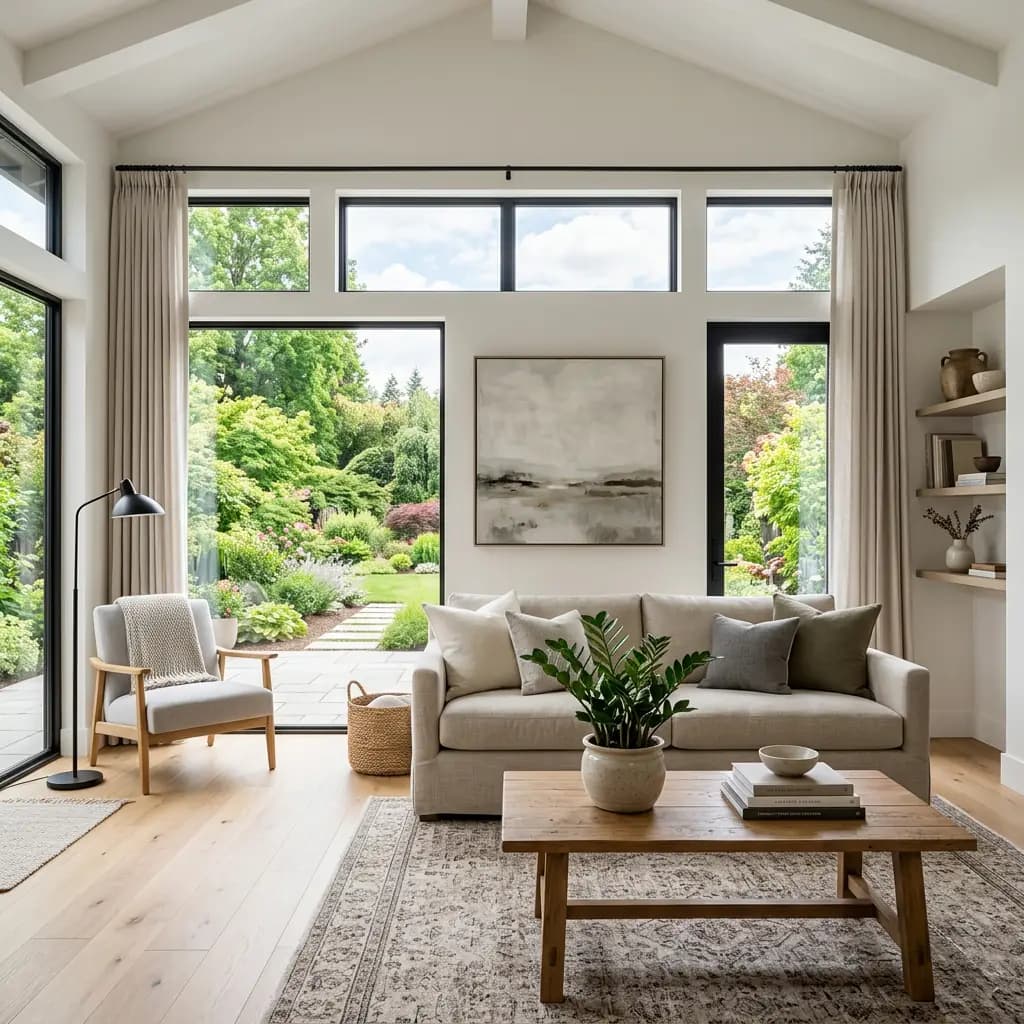
Listing photos are often the first showing a property gets. Here's what real estate photo editing actually includes, which edits are worth ordering, where the ethical and MLS lines are, and how agents can brief an editor to get consistent, fast results on every listing.
For most buyers, the first viewing of a property happens on a phone screen. Listing photos decide whether they scroll past or book a showing, and the difference between a dim, crooked photo and a bright, straight, well-balanced one is often editing rather than photography. But agents don't need to become retouchers. They need to know what to order, what's normal, what's off limits, and how to get consistent results without chasing every set of photos. This guide covers exactly that.
Why Editing Matters More in Real Estate Than Almost Anywhere Else
- Interiors are hard to photograph: bright windows and dark rooms in the same frame exceed what a camera can capture in one exposure.
- Wide-angle lenses distort: walls lean and lines bend unless they're corrected.
- Mixed lighting: daylight, warm bulbs and cool LEDs in one room produce uneven color casts.
- Weather and timing: grey skies and patchy lawns are common on shoot day.
- Volume and speed: listings need to go live quickly, often with 25 to 50 images per property.
The Standard Edits Every Listing Should Get
- Exposure blending (HDR): several exposures merged so both the room and the view through the window are visible. Done well, it looks natural rather than over-processed. Our guide to HDR real estate photo editing explains the difference.
- Vertical and perspective correction: walls, door frames and cabinets made truly vertical. Leaning lines are the clearest sign of amateur photos.
- White balance and color correction: neutral whites and consistent color from room to room, without orange or blue casts.
- Window pulls: restoring a clean, believable view through windows instead of a blown-out white rectangle.
- Lens correction and cropping: removing distortion and vignetting, and straightening horizons.
- Small cleanup: removing the photographer's reflection in mirrors, cables, light switches out of place, small marks on walls and clutter that slipped through.
Popular Add-On Edits
- Sky replacement: a blue sky in place of a grey one on exterior shots.
- Lawn and landscaping touch-up: greening patchy grass and tidying planting beds.
- Day-to-dusk (virtual twilight): turning a daytime exterior into a warm evening image with lit windows, which stands out in search results.
- Object removal: taking out bins, cars, personal items and temporary clutter.
- Virtual staging: adding furniture and décor to empty rooms so buyers can picture the space in use.
- Fireplace and TV screens: adding a fire to a fireplace or an image to a black TV screen.
Where the Line Is: Ethics and MLS Rules
Real estate photos are advertisements for a specific property, and misleading buyers has consequences: complaints, wasted showings, lost trust and, in some places, regulatory or MLS penalties. Rules vary by country, region and MLS, so always check yours, but a few principles are close to universal:
- Fine: correcting light, color and lens distortion; removing temporary items such as cars, bins and clutter; replacing a grey sky; light lawn touch-ups.
- Usually requires disclosure: virtual staging and virtual twilight. Many MLSs require a label such as "virtually staged," and some ask that the unstaged photo also be shown.
- Not acceptable: removing or hiding permanent features, such as power lines, a neighboring building, cracks, water damage or a highway; changing the view; altering room dimensions; or adding features the property doesn't have.
A simple test: if a buyer walks in and feels misled by what they see, the edit went too far.
Shooting Tips That Make Editing Easier
Even if you hire a photographer, knowing what makes a good raw file helps you prepare the property and judge the results:
- Bracket every frame: three to five exposures per shot give the editor everything needed for natural window views and balanced rooms.
- Use a tripod at a consistent height: roughly chest height keeps rooms in proportion and makes the whole set feel coherent.
- Keep the camera level: a level camera produces straight verticals with far less correction.
- Prepare the home: turn on all lights, open blinds, hide personal items, cables and bins, and straighten towels and cushions. Every item removed on site is one the editor doesn't have to remove.
- Watch the mirrors: step out of the reflection, or shoot at an angle, so there's no photographer to remove later.
How Many Photos and Which Ones
Most residential listings use somewhere between 25 and 40 photos, more for larger or luxury properties. A typical set covers the front exterior as the lead image, the main living areas, the kitchen from two angles, every bedroom, every bathroom, distinctive features such as a fireplace or view, outdoor spaces, and the rear exterior. Lead with the strongest image, usually the front exterior or a standout interior, and keep the sequence logical, as if walking through the home.
Turnaround and Pricing
Speed matters because listings need to go live. Professional real estate editing services commonly return standard edits within 24 hours, with rush options for less. Pricing is usually per image and depends on the work: basic color and perspective correction costs the least, HDR blending and window pulls more, and virtual staging and day-to-dusk the most, since they involve far more manual work. Ask whether prices include revisions, and whether bulk or monthly volume rates are available for a brokerage. Our photo editing cost guide explains the factors behind per-image pricing.
How to Brief a Real Estate Photo Editor
Consistent results come from a clear brief, written once and reused for every listing:
- Style reference: two or three edited images you like, so the editor matches brightness, contrast and color.
- Standard edits: list what every image gets, for example blending, verticals, white balance and window pulls.
- Exterior preferences: sky replacement yes or no, and what kind of sky.
- Rules: what must never be removed, and your MLS's disclosure requirements for staging and twilight.
- Output: required dimensions, file naming and formats for your MLS and portals.
- Deadline: standard and rush turnaround times.
Our guide on how to brief a photo retoucher covers the general principles, which apply equally to property photos.
Common Real Estate Editing Mistakes
- Over-processed HDR: halos around windows, grey walls and cartoonish color. Buyers are wary of images that look fake.
- Inconsistent color between rooms: one room warm, the next cold, makes the home look disjointed.
- Leaning verticals left uncorrected: the fastest way to make a listing look amateur.
- Unrealistic skies: a dramatic sunset sky over midday shadows that point the wrong way.
- Over-saturated lawns: neon green grass that doesn't exist in reality.
- Undisclosed virtual staging: risky with buyers and with your MLS.
Sizes for Portals, Social Media and Print
Each channel has its own requirements. MLSs and property portals set maximum file sizes and minimum dimensions and usually prefer landscape images. Social media works better with square or vertical crops, and print brochures need high-resolution files. Ask your editor for a standard export set per listing, so you're not resizing images yourself. Also check your MLS's rules on branding: some restrict watermarks, logos or text on listing photos.
Rentals, Short-Term Lets and Commercial Listings
The same editing principles apply beyond residential sales. Short-term rental listings compete hard on photos, so bright, welcoming and accurate images matter even more, and guests who feel misled leave reviews. Commercial listings such as offices, retail units and warehouses benefit from clean perspective, neutral color and clear views of space and layout rather than styling. In both cases, the honesty rules are the same: improve the photograph, never the property.
Photographer or Editing Service?
Many photographers edit their own work, and many agents use a photographer who outsources editing, or shoot themselves and send the files to an editing service. Outsourced editing makes sense when you need consistent results across many listings and photographers, fast turnaround during busy periods, or add-ons such as virtual staging and day-to-dusk that take specialist time. The key requirement is bracketed exposures: if the photos are shot as several exposures per frame, an editor can produce professional results even from a modest camera.
How to Tell Whether Better Photos Pay Off
Most property portals show listing views, saves and enquiries. Compare those numbers for listings with professionally edited photos against similar listings without, and track how many showings each one generates in its first two weeks. Agents who do this usually find the clearest signal in the click-through from search results to the listing, which is driven almost entirely by the lead photo. It's also a useful way to test which lead image, exterior or interior, works best in your market.
A Quick Checklist Before a Listing Goes Live
- All verticals straight and horizons level.
- Windows show a natural view, with no blown-out white rectangles.
- Color consistent from room to room, with neutral whites.
- No photographer reflections, cables or personal items left in shot.
- Virtual staging and twilight images labeled as your MLS requires.
- Images in the order of a walk-through, with the strongest image first.
Get Listing Photos Edited Within 24 Hours
Our real estate photo editing service handles exposure blending, verticals, color correction, window pulls, sky replacement, object removal, day-to-dusk and virtual staging, with consistent results across every listing and every photographer, and our image manipulation service covers more complex composites. Start a free trial with your next listing.