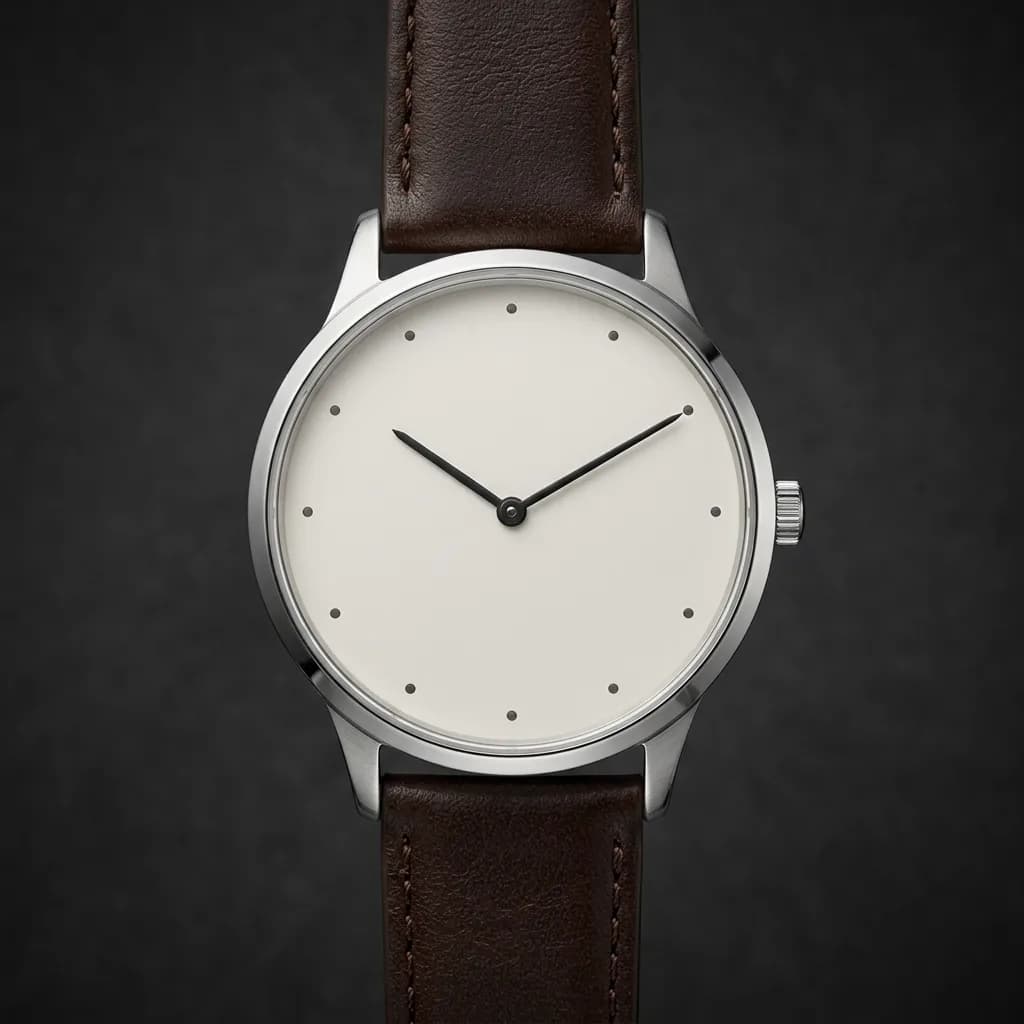
Watches combine polished metal, sapphire crystal and tiny dial details in one small object, which makes them one of the hardest products to photograph. Here's how to prepare, set, light and retouch watches so every case, dial and bracelet looks precise and true to the real piece.
Few products punish small mistakes the way watches do. A single fingerprint on a polished case, a reflection of the camera in the crystal or a speck of dust on the dial is obvious the moment a shopper zooms in, and watch buyers always zoom in. At the same time, watches are designed to be admired up close: the sunburst of a dial, the bevels of a case, the finish of a bracelet. This guide covers how to prepare and set a watch, the angles buyers expect, how to light polished steel and crystal, and how professionals retouch watch images for e-commerce.
Why Watches Are So Difficult to Photograph
- Mixed surfaces: mirror-polished bevels next to brushed surfaces, all on a curved case, each reacting to light differently.
- The crystal: a curved, highly reflective layer sitting directly over the most important part of the watch.
- Tiny detail: indices, printed text, minute tracks and textures only a few millimeters wide.
- Depth: from the crown to the far edge of the bracelet, a watch is deep enough to fall out of focus at close range.
- Everything shows: fingerprints, hairline scratches and dust are magnified in close-up shots.
Preparing the Watch
- Wear gloves: lint-free cotton or nitrile gloves stop fingerprints from the moment you unpack the watch.
- Clean thoroughly: a microfiber cloth for the case and crystal, and an air blower for dust. Do this just before each shot, not once at the start.
- Remove protective films: unless the brand wants them shown, peel off the plastic stickers on the case back, clasp and crystal, which reflect light unevenly and look cheap on camera.
- Set the time to 10:10: the long-standing convention in watch photography. The hands frame the brand name below the 12, the dial looks balanced and the watch appears to "smile." Stop the movement or set the hands before shooting so every image shows the same time.
- Check the date and crown: push the crown fully in, and set a date that doesn't clash visually, often a neutral number rather than one obscured by a hand.
- Shape the strap or bracelet: use a small stand, a watch pillow or hidden supports so the bracelet forms a natural, symmetrical curve.
The Angles Watch Buyers Expect
- Front, dial straight on: the main shot, showing the dial clearly with minimal crystal glare.
- Three-quarter front: the most flattering view, showing the dial plus the case profile and lugs.
- Side profile (crown side): case thickness, crown and pushers.
- Case back: especially for display backs that show the movement.
- Bracelet and clasp: finish, links and the clasp mechanism.
- Macro details: dial texture, applied indices, bezel markings and finishing.
- On the wrist: shows size and proportion, which numbers alone can't communicate.
- With box and papers: important for premium and pre-owned watches.
Lighting Polished Steel and Crystal
- Use large, soft light sources: polished metal reflects its surroundings, so big diffusers and light tents create smooth gradients instead of harsh hot spots.
- Shape the case with cards: black cards create dark lines that define bevels and edges; white cards add clean highlights. Moving a card a few centimeters changes the whole look of a case.
- Manage the crystal: tilt the watch or camera slightly so the crystal reflects a dark or neutral area rather than a light. A polarizing filter can reduce glare on the crystal, though it won't remove reflections from the metal.
- Choose the background for the market: white for marketplaces and catalogs, dark or graduated backgrounds for luxury pieces and advertising.
- Shoot multiple exposures: one frame lit for the dial, one for the case, one for the bracelet, combined in editing. It's standard practice for high-end watch images.
Camera and Lens Setup
- A macro lens: a 90 to 105mm macro lets you fill the frame with a watch from a comfortable working distance, leaving room for lights and cards, and keeps proportions natural.
- Low ISO, small aperture: base ISO for clean files, and an aperture around f/8 to f/11 as a starting point. Going much smaller softens the image through diffraction.
- Shoot tethered: viewing each shot on a large screen catches dust, reflections and focus errors that a camera's rear screen hides.
- Lock the setup: a solid tripod and a fixed product position let you reshoot details, exposures and focus stacks that line up perfectly.
Getting Everything Sharp
At close range, even a small aperture can't keep the crown, dial and far side of the bracelet all sharp. Professionals use focus stacking: several frames focused at different depths, merged into one image that's sharp from front to back. Our guide to focus stacking for jewelry photography explains the technique, which works the same way for watches. Use a sturdy tripod, a remote shutter and manual focus, and keep the lighting identical across the frames.
Retouching Watch Photos Step by Step
- Composite exposures and focus stacks: combine the best-lit and sharpest parts of each frame into one base image.
- Remove dust and lint: macro shots reveal particles on the crystal, dial and bracelet that were invisible on set.
- Clean scratches and marks: remove hairline scratches, fingerprints and handling marks from polished surfaces, especially on display and new-condition pieces.
- Rebuild gradients on the case: replace patchy, broken reflections on polished surfaces with smooth, controlled gradients that follow the shape of the case. Our guide to removing reflections in Photoshop covers the technique.
- Control crystal glare: reduce reflections over the dial so it reads clearly, while keeping a subtle highlight so the crystal still looks like glass.
- Correct metal and dial color: steel should look neutral, yellow gold warm, rose gold pink, and a blue sunburst dial exactly the blue of the real watch. Metal easily picks up color from nearby objects.
- Even out the bracelet: make links consistent in brightness and finish, and straighten the curve if supports pulled it out of shape.
- Background, shadow and output: a clean background, a soft shadow or reflection, and export at the size each platform requires.
What Watch Retouching Should Never Change
Watch buyers care about authenticity and condition. Retouching should never alter dial printing, logos, text or the layout of indices, change the finish of a case from brushed to polished or vice versa, or hide real wear on a pre-owned watch being sold as a specific item. Remove dust and handling marks; don't change the watch. Accurate images also protect you: a mismatch between the photos and the watch a customer receives is a costly return, and for pre-owned pieces, a dispute.
Pre-owned watches need a different approach from new ones. Clean the image of dust and studio reflections, but show the real condition of the specific watch: light scratches on the clasp, wear on the bezel or a patina on the dial are part of what the buyer is paying for, and clear close-ups of them build the trust that pre-owned sales depend on.
Marketplace and Store Considerations
Marketplaces generally expect watch main images on a pure white background with the full watch visible, and many retailers follow the 10:10 convention throughout their catalog for consistency. Secondary images can show the case back, clasp, wrist shots and details. Check each platform's current category rules; our guide to Amazon product image requirements covers the main-image basics, and our jewelry retouching guide covers the related techniques for rings, necklaces and bracelets.
Smartwatches and Fashion Watches
Smartwatches add a screen to the challenge. Photograph the screen off, then add a clean, sharp display image in editing so it isn't affected by glare or refresh lines, and keep the screen content simple and readable. For fashion watches sold in many colorways, consistency matters more than perfection: the same angle, time setting, lighting and shadow across every variant makes a collection page look professional.
Common Watch Photography Mistakes
- The photographer or camera reflected in the crystal: check every curved surface before and after the shot.
- Different times on every image: a catalog where each watch shows a different time looks careless.
- A soft dial: focus missed by a fraction of a millimeter makes the most important part of the watch blurry.
- Over-smoothed metal: removing all texture turns brushed steel into plastic-looking grey.
- Color casts on metal: steel that looks blue, or gold that looks green, from surrounding objects or mixed lighting.
- Leftover protective film: uneven reflections from stickers that should have been removed.
A Quick Checklist Before Publishing
- Hands at 10:10 on every image, crown pushed in, date consistent.
- No dust, fingerprints or lint visible on the crystal, dial or bracelet at 100% zoom.
- No camera, photographer or studio reflections in the crystal or case.
- Dial printing sharp and unchanged; metal and dial colors checked against the real watch.
- The same background, shadow style and framing across the whole collection.
Professional Watch Retouching
Watch images are some of the most detailed retouching work there is, and the results directly affect how buyers judge quality and price. Our jewelry and watch retouching service handles dust and scratch removal, case gradients, crystal glare, focus-stack and exposure composites, and accurate metal and dial color, consistent across every model. Our product retouching service covers smartwatches and accessories too. Where the case, bracelet, dial and crystal each need different treatment, we build multiple clipping paths per watch part for precise per-region edits. Start a free trial and send us your most demanding piece.